
How do I save or change my credit card information?

If you have already added a payment method on file during the initial intake assessment, your information is automatically saved to your billing profile.
If you’d like to change your payment method on file and your first visit has not happened yet, you can reach out to a Patient Care Coordinator at 833-351-TALK (8255) who can help change the payment method on file. Otherwise, please follow the steps below.
While submitting a payment, you can save or change your payment method for easy access for future payments.
To save or change your payment method, first login to your account. Please note that for added security, saved payment methods are not accessible without verifying your identity via the steps outlined below.
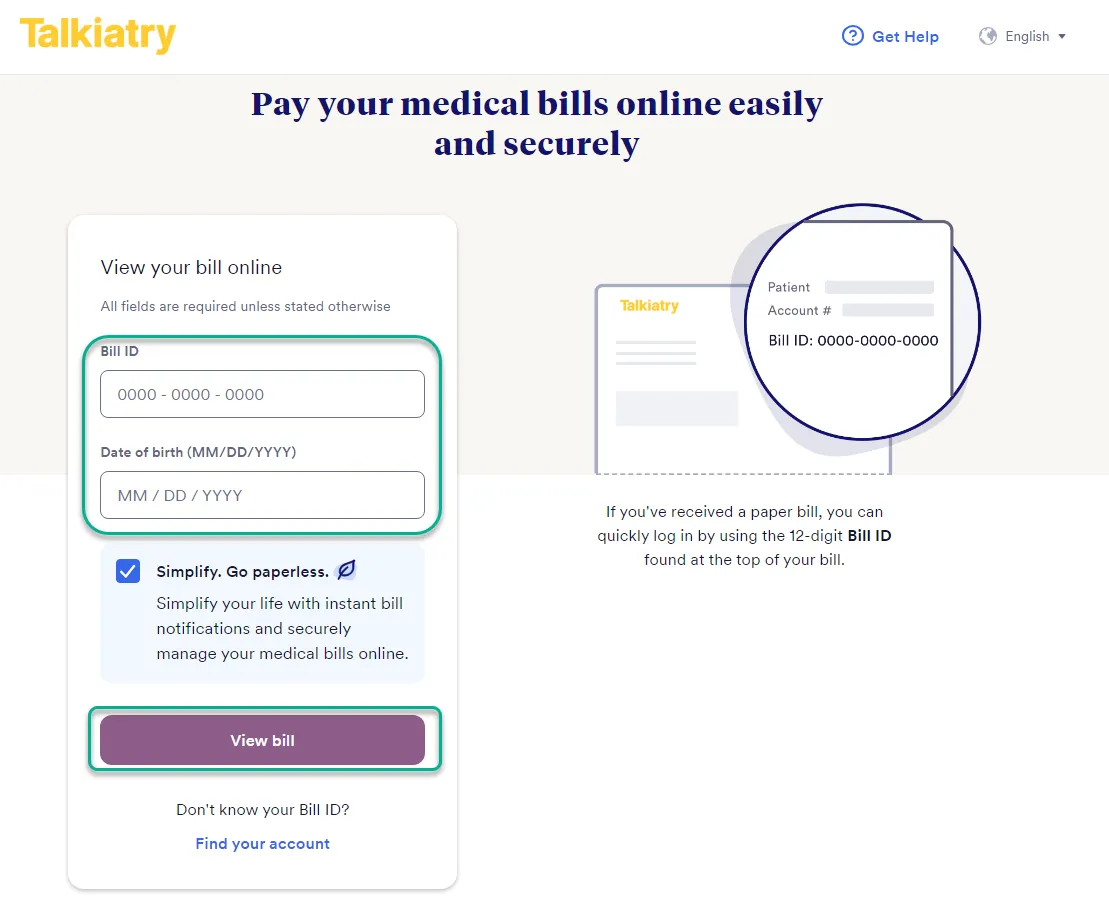
- Go to the Talkiatry billing website
- You can enter your Bill ID located at the top right of your statement and your date of birth, then select “View bill”.
- Alternatively, if you would like to log in with either your email address or phone number, you can instead scroll down and click “Find your account”.
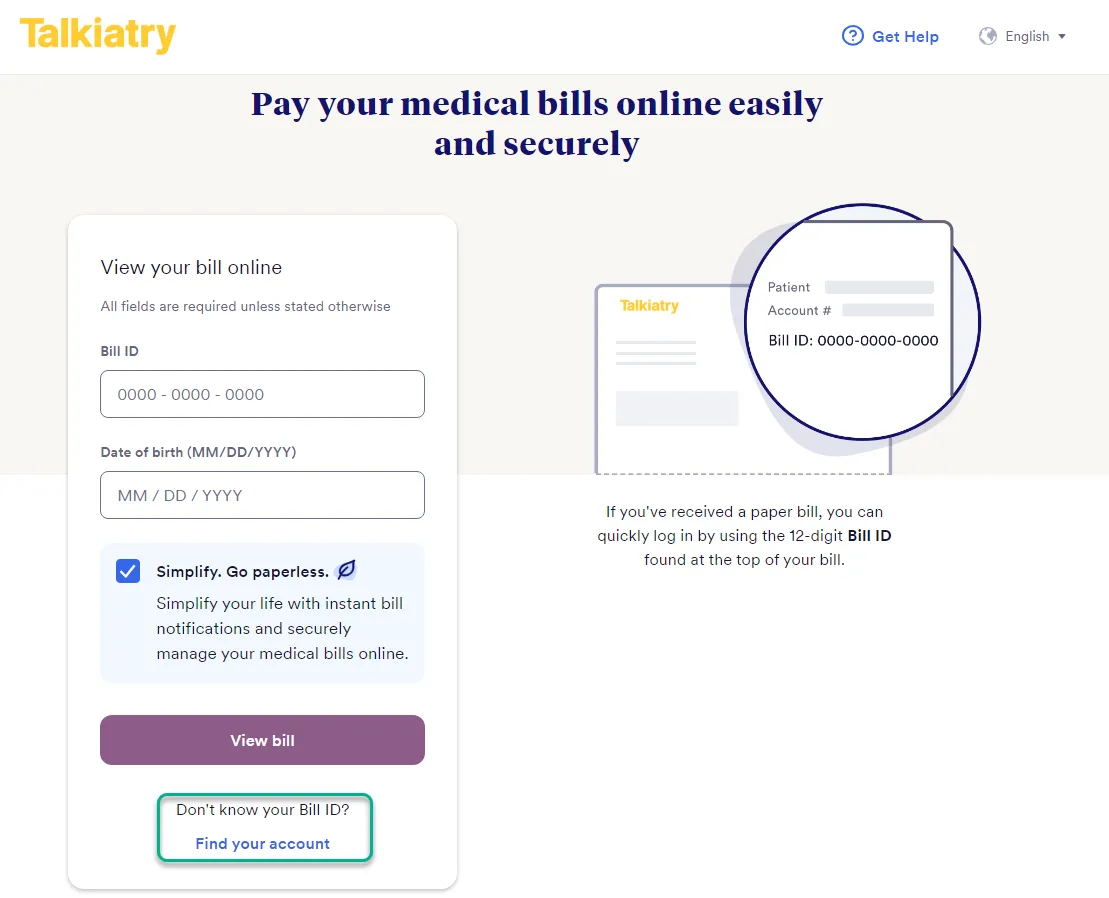
- Log in with your credentials. You can choose to log in with your email and birthday or your phone number and birthday.
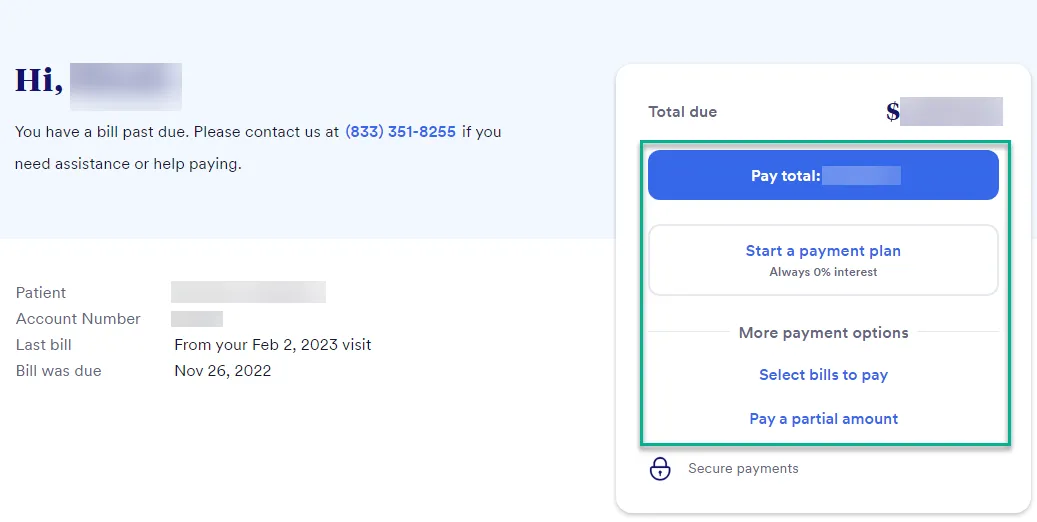
- Select your payment option from the following options on the right-hand side of the window:
- Pay total
- Start a payment plan
- Select bills to pay
- Pay a partial amount
- You will be prompted to select your payment method. Note that you can select a previous saved payment method.
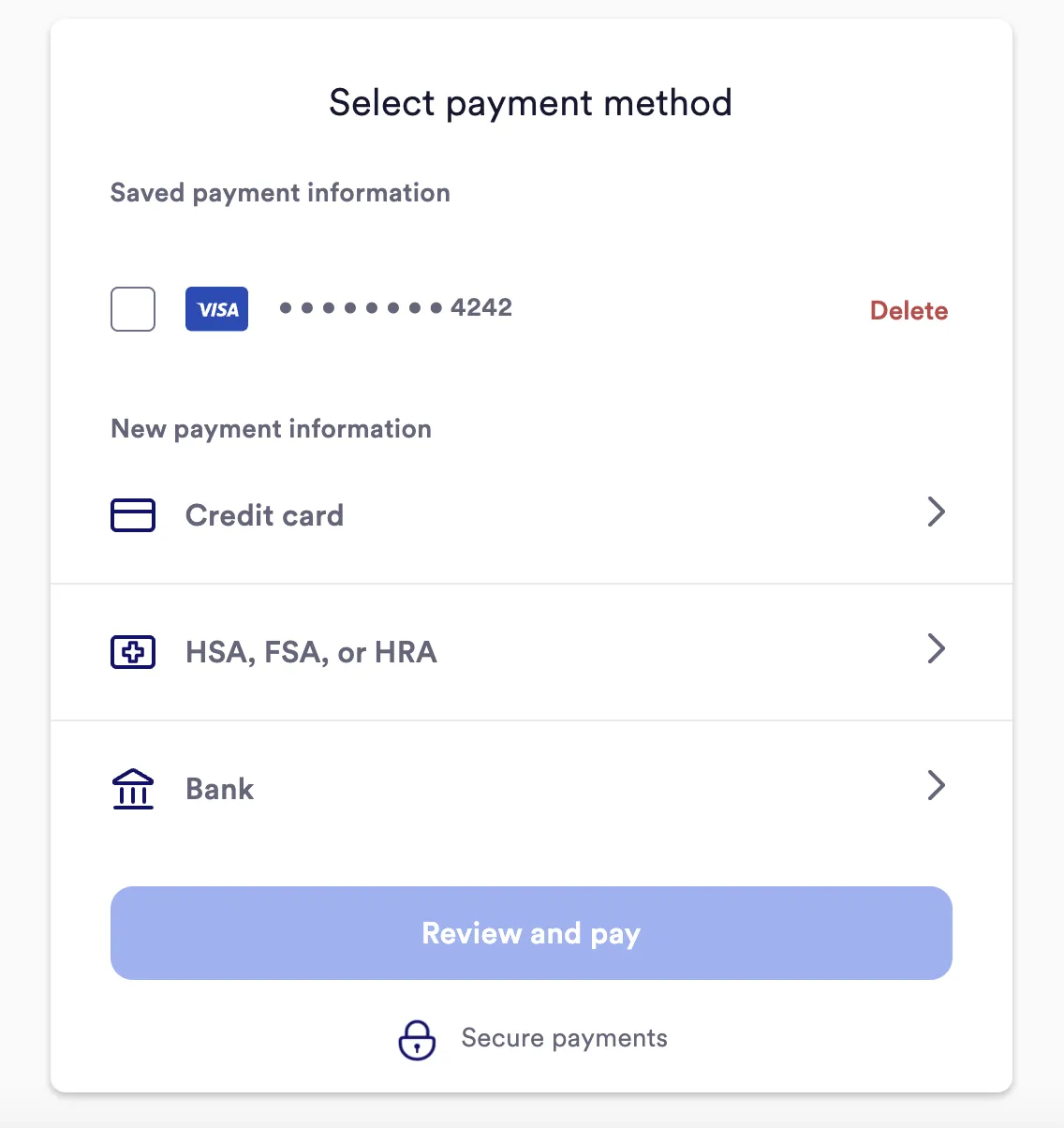
- If you want to use a new payment method, select your preferred method and enter your card, bank, or ACH information.
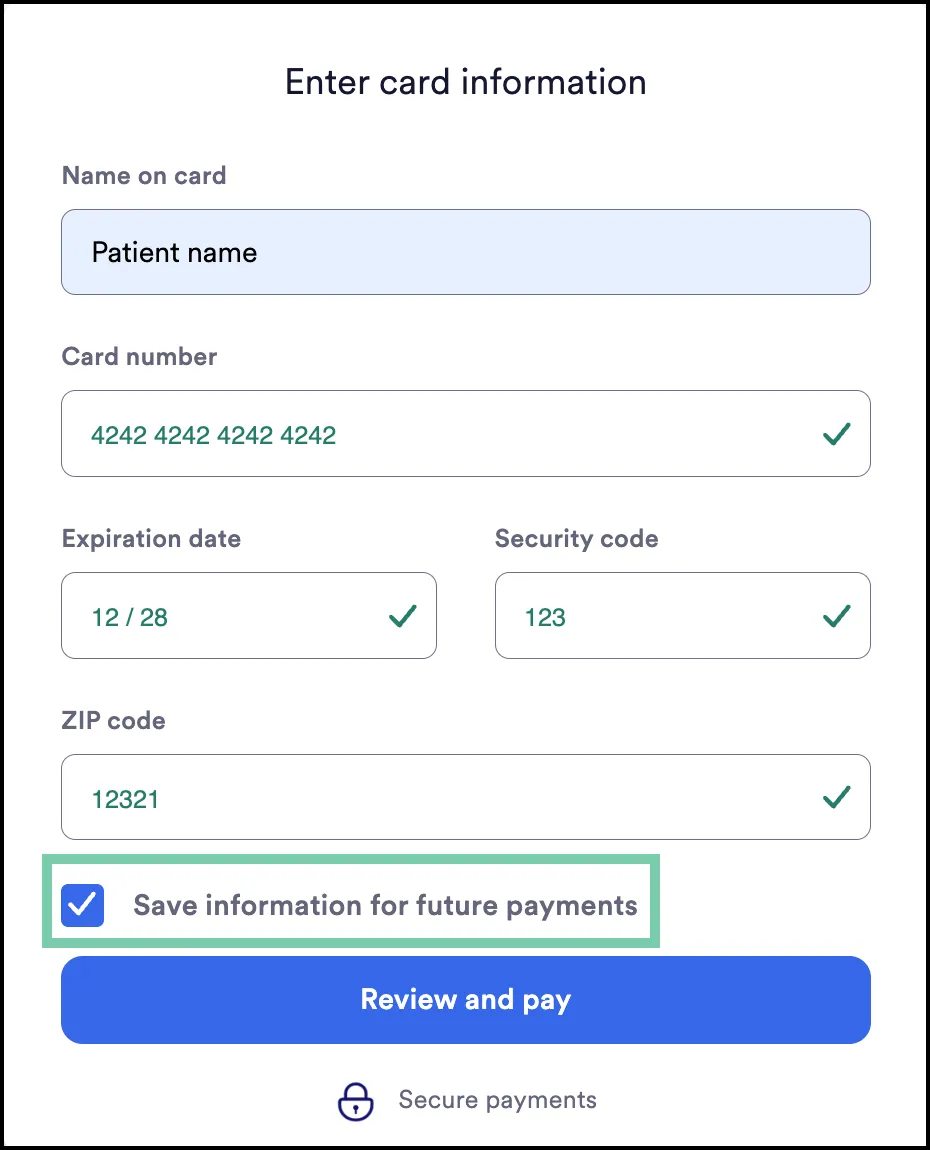
- If you would like to save this card/bank/ACH information for future payments, check “Save information for future payments”
- If you have previously entered card/bank/ACH information and selected “Save information for future payments,” you will be able to select the saved payment method.
- Note: if you are paying as a Guest and not logged in, you will be unable to save your card information.
- Click “Review and pay” in order to pay your bill. Your payment method on file will be updated for future use.
Did you find this article helpful?


In touch
Manage your documents
Document center
